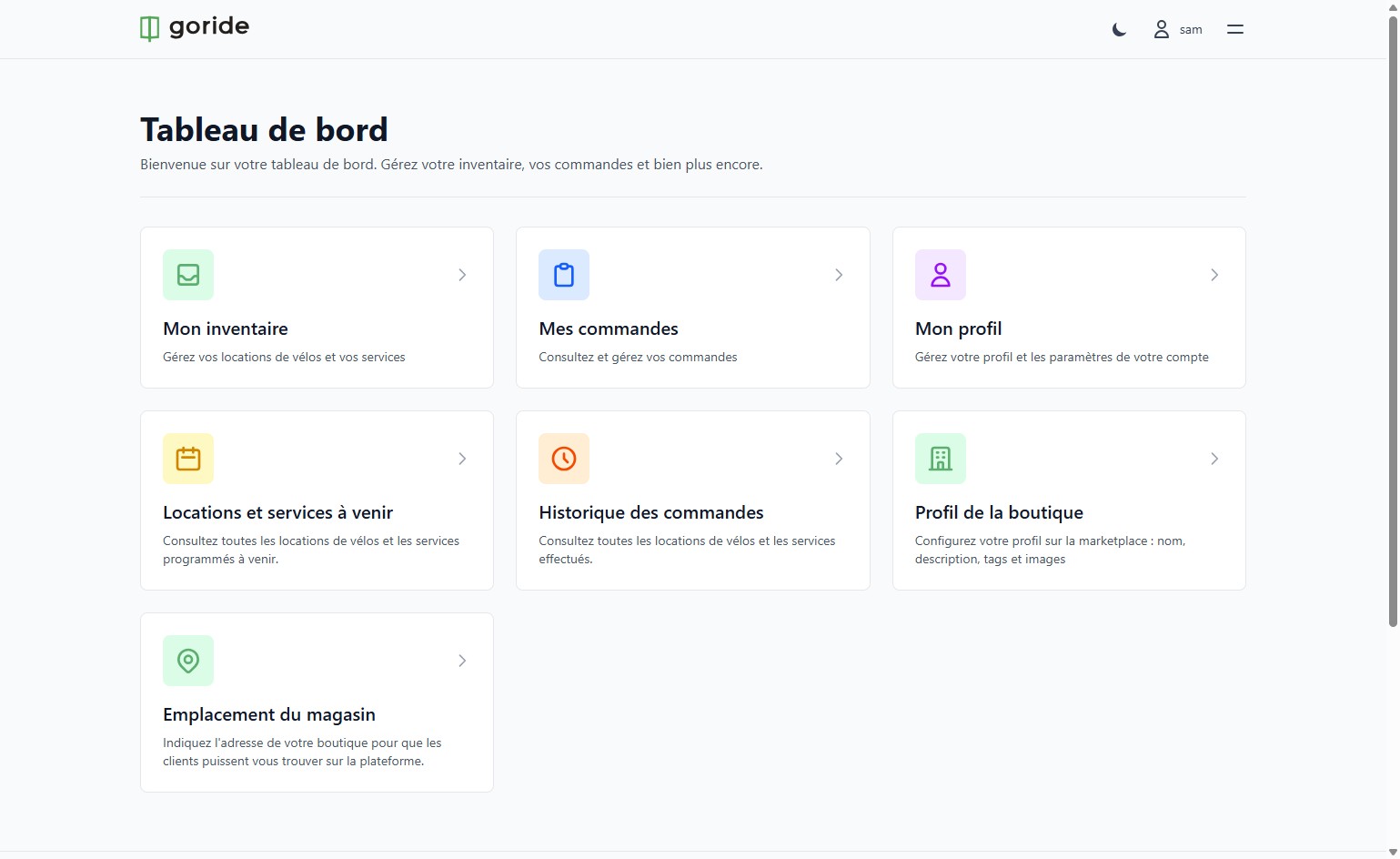
Step 1 — Access Your Dashboard
Log in to your merchant account and navigate to your dashboard. From there, you can manage your inventory, orders, and much more.
---
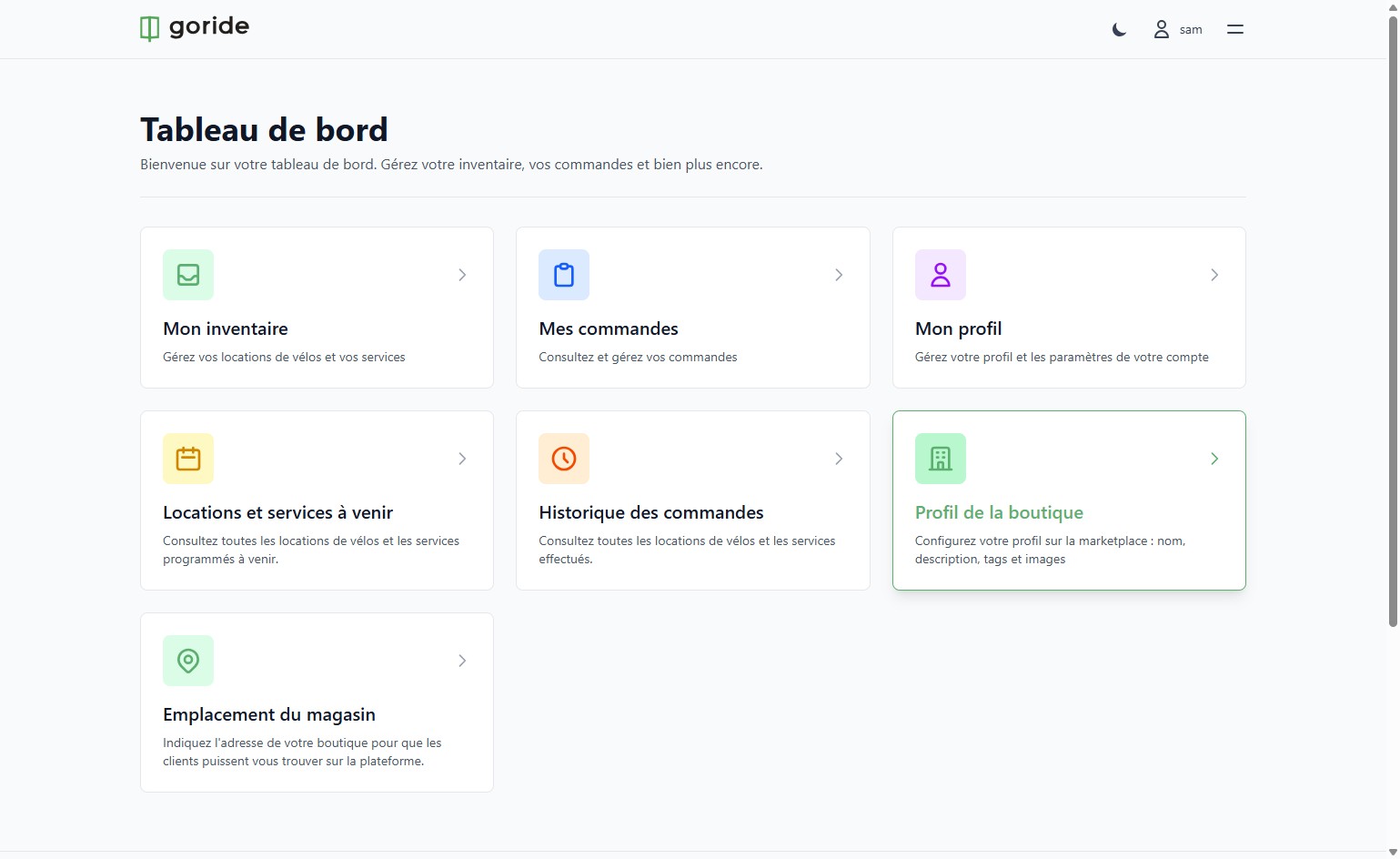
Step 2 — Open Your Profile Settings
Click on the icon or menu to access your merchant profile settings.
---
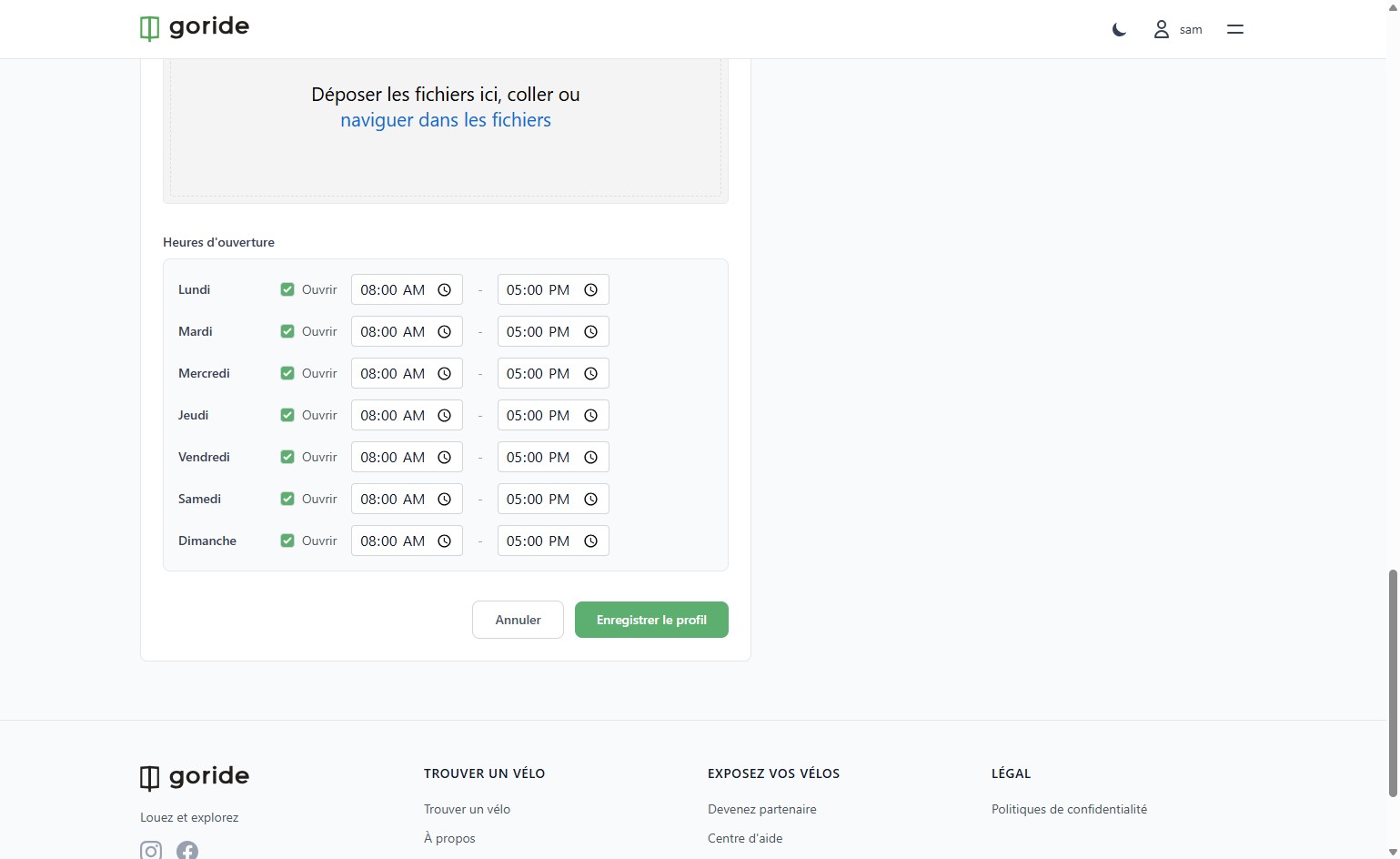
Step 3 — Edit Your Business Hours
In the **"Business Hours"** section, adjust your schedule by setting the days and time slots when you are available.
---
Step 4 — Save Your Profile
Once you've made your changes, click **"Save Profile"** to confirm and publish your updated business hours.
*Your profile is now up to date. Your customers will see your business hours in real time on GoRide.*